
Following last week’s TC Standalone release, the new Windows Agent and Viewer v7.70.00 are now available for N-central and N-sight. The release adds productivity features, strengthens security, and includes fixes that improve the technician experience. Both modules are available to download now, with automatic updates beginning soon.
New Features
Authorization pop-up for Terminal Services sessions
Devices configured with Session Pre-Authorization now require the logged-in user’s approval when a technician views a different Terminal Services session. Remote users are prompted to allow the technician to interact with that specific session. If authorization is refused, the overall remote Take Control session remains open, but access to that Terminal Services session is blocked.
Create notes on the remote device
Technicians can now leave a note directly on the remote screen to keep the end user informed — for example, asking them not to restart the device during an install process. Notes remain visible after the session ends, until the user closes them, and can be customized with a theme, color palette, and company logo. Accessible from the Viewer, in “Remote Desktop > Interactions > Create Note on the Remote Device”.
Automatic blank screen at session start
Technicians can now automatically blank the remote screen as soon as a session starts, removing the need to enable the feature manually each time. The option is available in the Viewer. Can be enabled from the three doted menu on the top-right, under “Enable Blank Screen when the Session starts”.
Support for Windows PAC files
The software now detects when Windows PAC (Proxy Auto-Configuration) settings are applied to the device and prioritizes those settings when establishing connectivity.
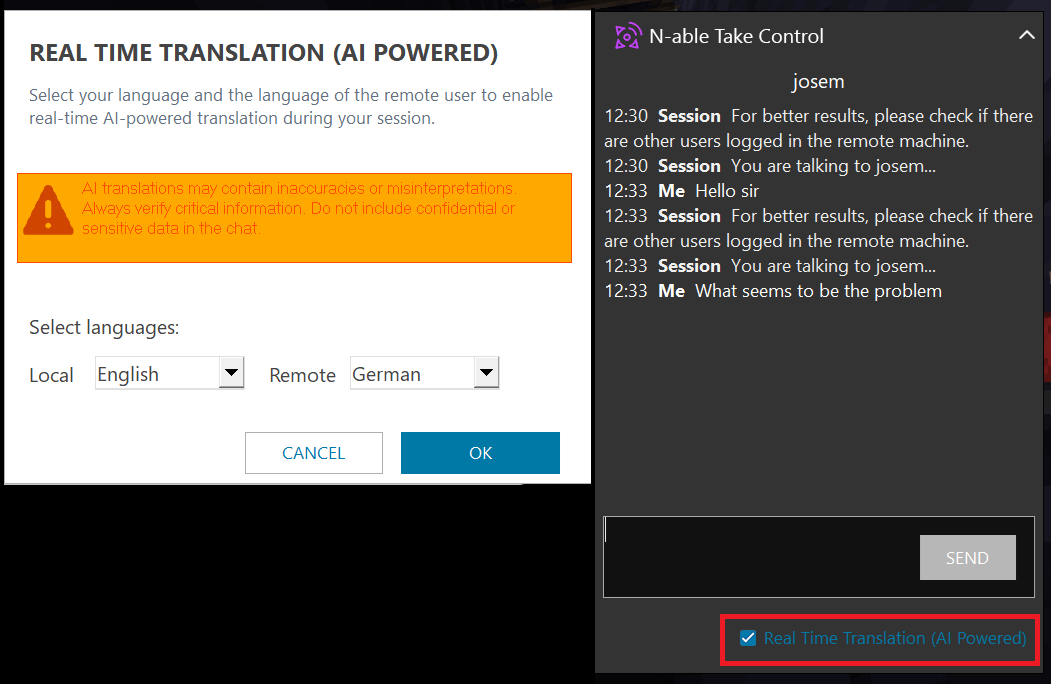
AI-powered real-time session chat translation
Communicate more smoothly with international customers through real-time chat translation during remote sessions. Translation is supported across the following six languages: English, Portuguese, Spanish, French, Italian, and German. Available from the in-session chat window.
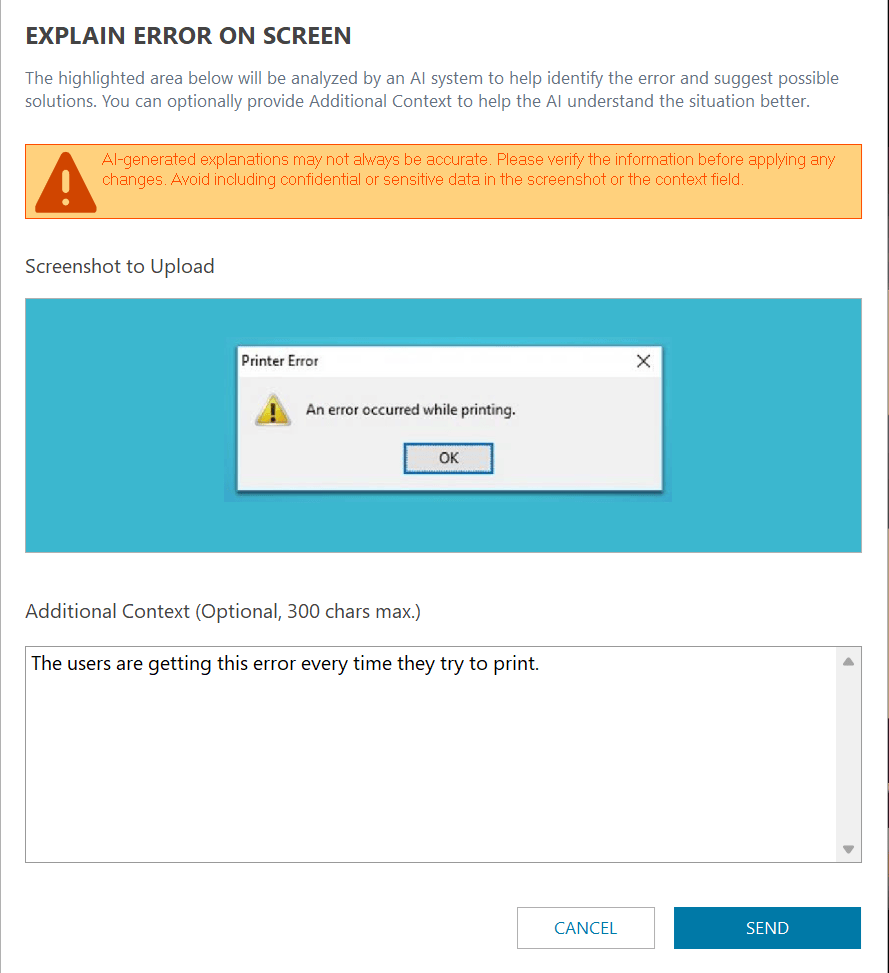
AI-assisted issue resolution
Technicians can save time during sessions with AI-powered contextual help available one click away. The Console can provide an instant explanation of issues visible on the remote screen and suggest practical next steps to help resolve them. Available in the Viewer, from “Remote Desktop > Interactions > Explain Error on Screen”.
Both AI features are currently in preview and are strictly opt-in. We encourage you to review our AI Pledge and Privacy Notice before using them.
Fixes and Improvements
- Updated various components and libraries, including our FIPS 140-3 validated cryptographic module to the build based on OpenSSL 3.5.8.
- Viewer — Resolved multiple issues affecting special characters.
- Viewer — Fixed a mismatch in the last boot date and time shown in the System Info tab.
- Viewer — Resolved an issue where Windows services were not displayed in the System Info tab.
- Agent — Fixed a crash in the Credentials Provider.
You must be logged in to post a comment.