
We are excited to announce that N-central 2026.4 is now available. Please use the following links for Release Notes and download:
Download link 2026.4 (login required)
What’s New in N-central 2026.4
N-central 2026.4 is all about improving the everyday experience for technicians and administrators. This release introduces new personalization and accessibility options like Native Dark Mode, Themes, and Contrast Modes, a dedicated Ecoverse navigation experience, and the new N-central Mobile app, helping technicians stay productive whether they are at their desk or on the go.
Highlights include:
- Native dark mode, themes, and contrast modes
- Dedicated Ecoverse navigation and modern feature discovery
- Automation Manager enhancements
- New N-central Mobile app
2026.4 Highlights Video
Native Dark Mode, Themes and Contrast Modes
N-central now introduces a native personalization framework designed to improve comfort, usability, and inclusivity for every technician.
Choose between Light and Dark Mode, personalize your experience with multiple built-in themes, and apply contrast modes designed to improve visibility, readability, and viewing comfort.
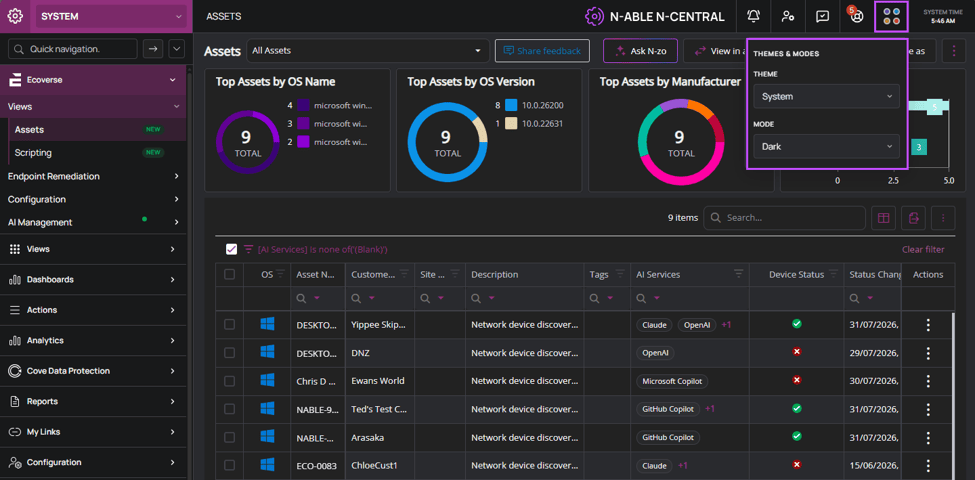
Dark Mode
Technicians can now personalize N-central to reduce eye strain, improve readability, and create a workspace that fits the way they work. Four new built-in themes are included, giving users flexibility in how they experience the platform. Modern Classic is the core N-central theme and unlocks the ability to switch between dark and light mode, Coastal Sky offers a clean and professional look, Lavender Mist provides a bold, modern aesthetic, and Jade Garden delivers a fresh and vibrant experience.
Users can tailor the interface to match their preferences, helping them stay comfortable and focused throughout the day.
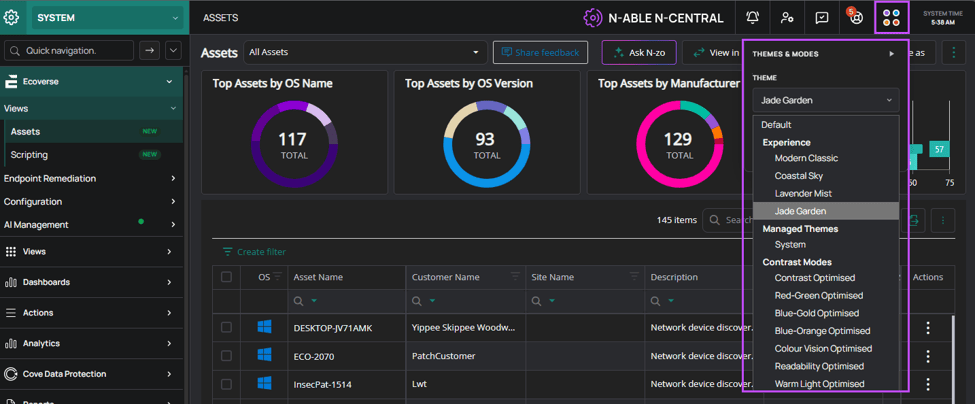
Selectable built in themes
In addition to themes, seven contrast modes are available to improve readability and accessibility. Options include settings optimized for enhanced contrast, color vision differences, text clarity, and reduced blue light, helping create a clearer and more comfortable viewing experience.
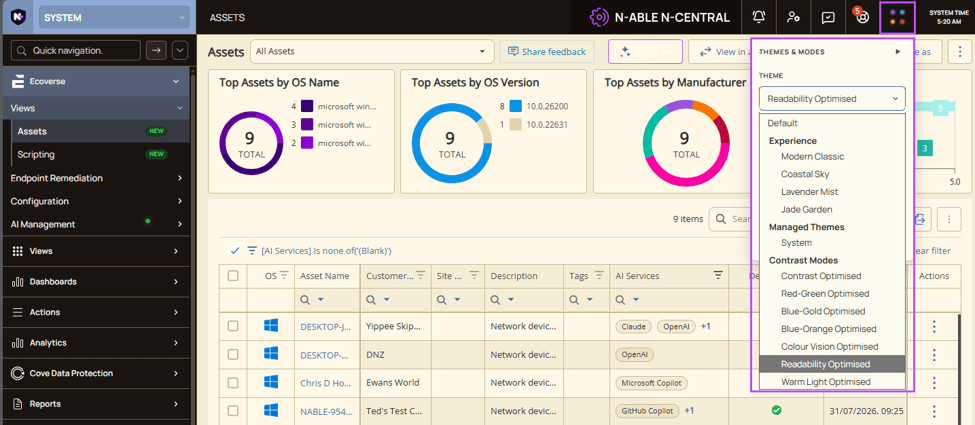
Contrast modes
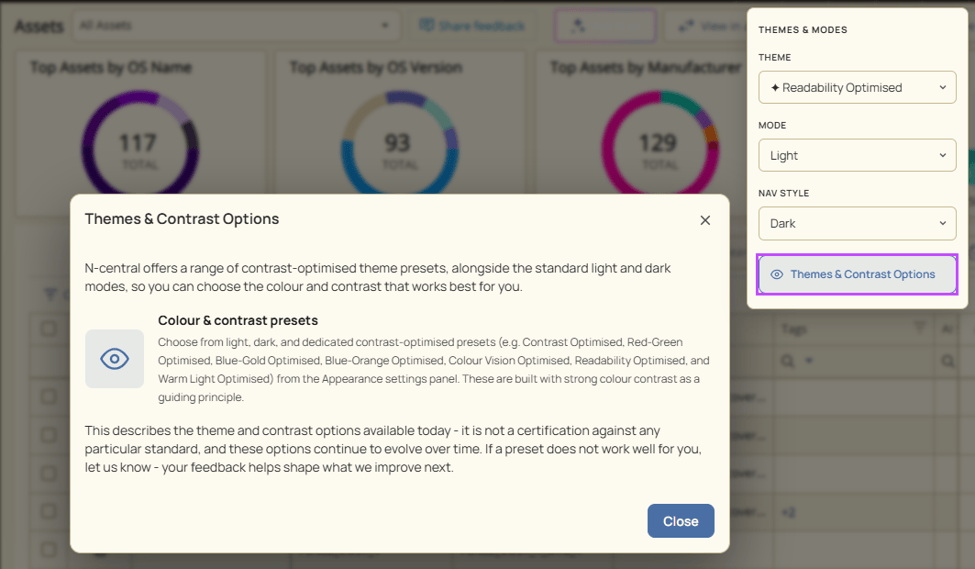
Theme and contrast options
N-central now adapts more naturally to the people who rely on it every day.
Dedicated Ecoverse Navigation and Modern Feature Discovery
The future of the platform shouldn’t feel hidden. N-central now includes a dedicated Ecoverse section in the left navigation, providing a clear home for modern, cloud-powered capabilities, making new functionality easier to discover and adopt.
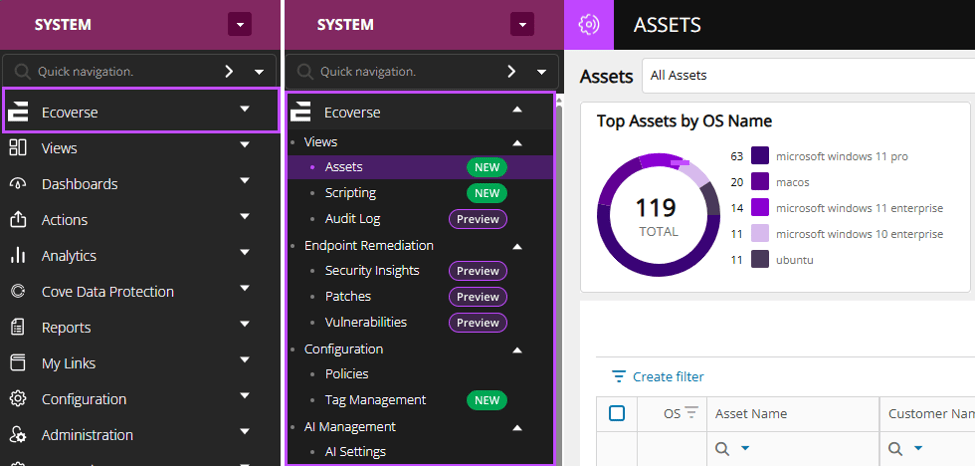
New Ecoverse navigation
Ecoverse capabilities are now always visible in navigation, making discovery easier and providing clear guidance for enabling access through N-able Login.
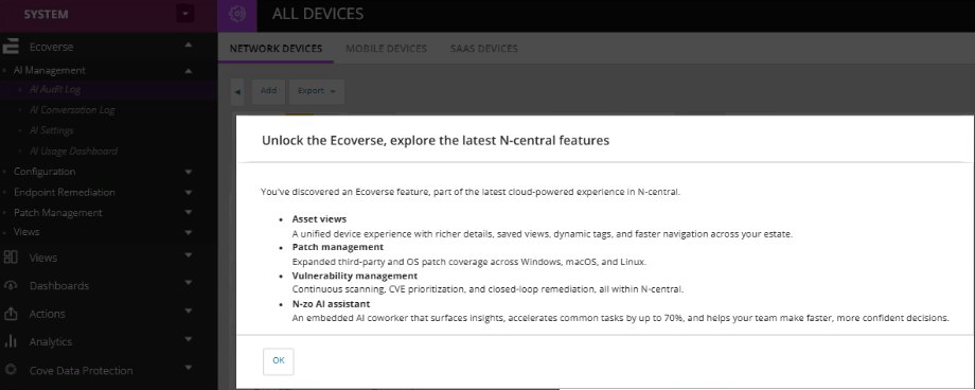
Guided setup
Automation Manager Enhancements
Automation Manager now supports PowerShell 7 through a new Run PowerShell 7 Script object, enabling automation policies to take advantage of a modern PowerShell runtime while maintaining compatibility with existing PowerShell 5.1 policies. PowerShell 7 support is available on 64-bit Windows operating systems.
This release also introduces major enhancements to the script editor, including syntax highlighting, line numbers, parameter auto-complete, word wrap, zoom controls, current-line highlighting, and improved editor window behavior.
Create, edit, and troubleshoot automation scripts more efficiently.
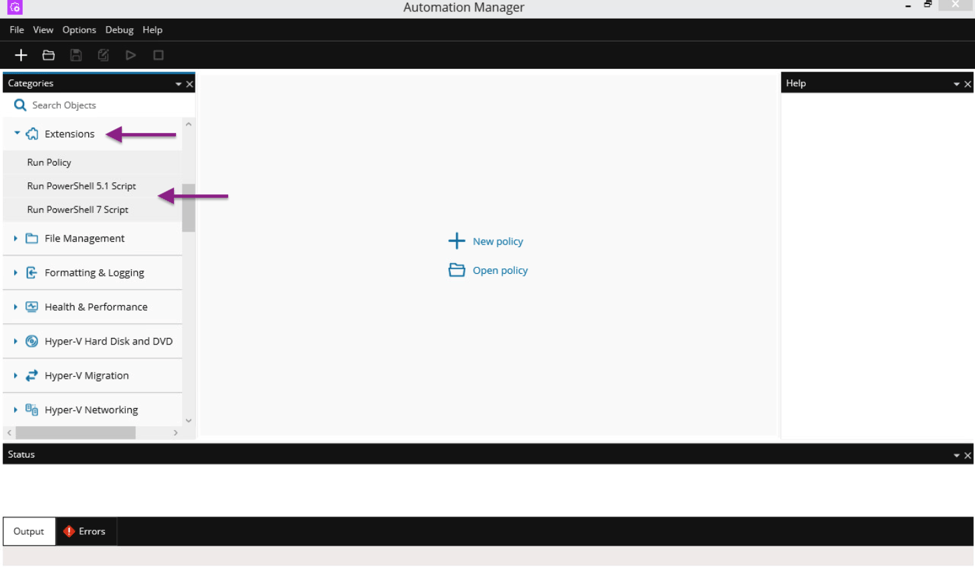
PowerShell 7 support
New N-central Mobile app
The new N-central Mobile app is now available for iOS and Android, making it possible for technicians to find devices and launch Take Control remote sessions from anywhere, in seconds.
Built on a new foundation, this initial release focuses on delivering a streamlined remote access experience, with additional mobile capabilities planned for future updates.
The app supports N-able Login, including MFA and Entra ID-based sign-in, and requires N-central 2026.4 or later.
Additional improvements
Smarter, more predictable upgrades
N-central now performs comprehensive upgrade readiness checks before taking the server offline, helping administrators identify and resolve potential issues before maintenance begins. Combined with enhanced visibility into upgrade progress and status, teams can plan upgrades with greater confidence and significantly reduce the risk of unexpected downtime.
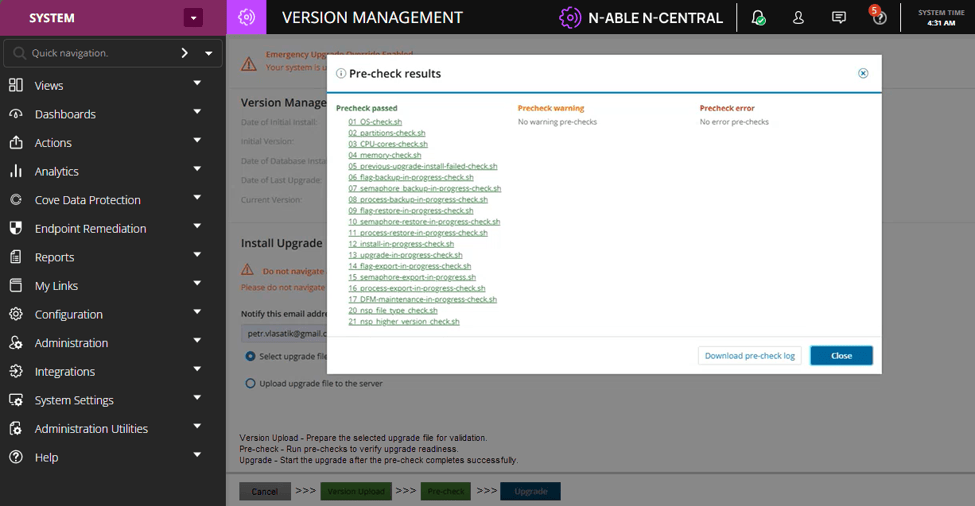
New upgrade readiness checks
Simplified migration from Integrated Backup to Cove
N-central now allows eligible devices to be migrated from N-able Integrated Backup to Cove Data Protection™ while keeping the Backup Manager in place. Backup monitoring is transitioned automatically, reducing the steps and complexity involved in moving devices to Cove.
By eliminating reinstallation requirements, migrations can be completed faster and with less operational overhead.
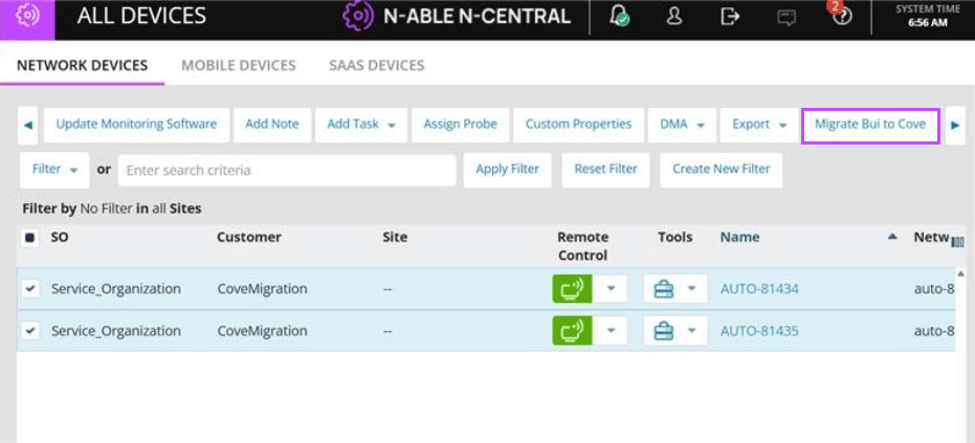
Simpler, smarter backup migration
Platform and Performance Improvements
N-central 2026.4 also includes platform stability enhancements, performance improvements, and defect resolutions across core platform functionality. For a complete list of resolved issues and technical details, refer to the detailed N‑central 2026.4 Release Notes.
You must be logged in to post a comment.