
Recent releases deliver a range of updates to the Assets View and Asset Details panel in N-central and N-sight – improving how asset data is filtered, displayed, and acted on, alongside a number of usability and design refinements.
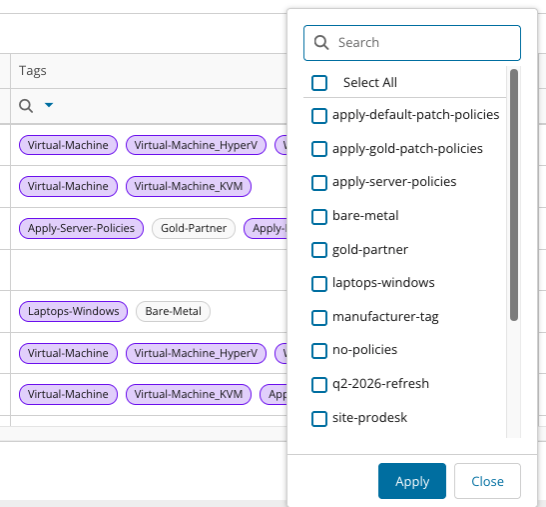
Filter by tags directly within the Assets View
You can now filter assets from within the Assets View using an aggregated filter on the Tags column.
Previously, filtering by tag required remembering and manually typing specific tag names, which didn’t scale for organizations managing hundreds of tags.
- The new filter presents all tags currently assigned to assets as a selectable list, so you can quickly find a cohort of assets without needing to recall exact names.
- Multiple tags can be selected to broaden the result set.
- Assets with no tags will not appear as a filter option.
macOS devices no longer shown as “Darwin” in the Assets View
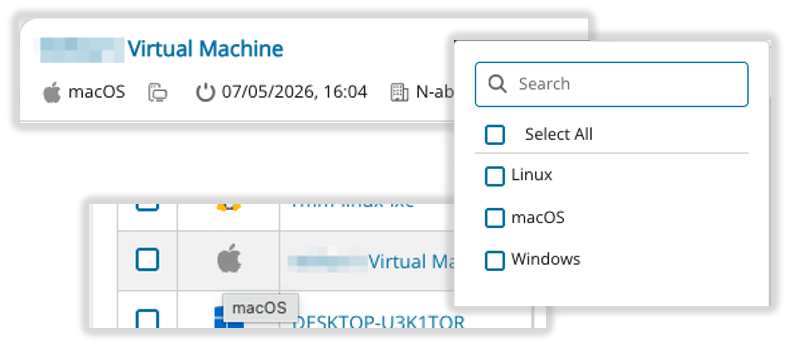
Searches for “macOS” or “Mac” previously failed to return results in manual searches and dynamic tag filters.
Apple Mac devices are now correctly labelled macOS in the Assets View. The previous label, “Darwin” (the underlying Unix kernel name), was technically accurate but not immediately recognisable to many users.
Any automations via our Graph APIs will still operate as both Darwin and macOS are supported OS types.
Asset detail actions moved to top-level buttons
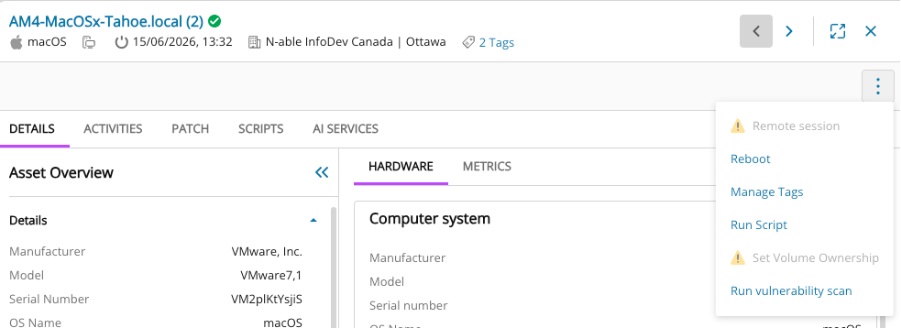
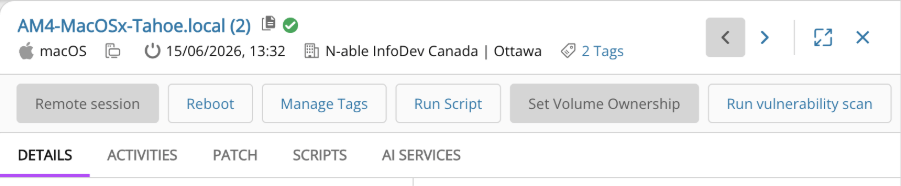
Actions within the Asset Details fly-out are now displayed as individual buttons rather than consolidated under the kebab menu. Previously, available actions were hidden behind an overflow menu, surfacing them directly in the fly-out makes available actions immediately visible without additional interaction.
Before:
After:
Online/Offline asset status now visible alongside asset names
An online/offline status indicator is now shown directly next to the asset name in the Asset Details panel, providing an ‘at-a-glance’ indication of connectivity without needing to check a separate column.

More granular column filtering
Filtering in the Assets View has been improved with the addition of data aggregations for the Timezone, OS Build, and External IP columns, making it easier to narrow down and identify specific groups of assets.

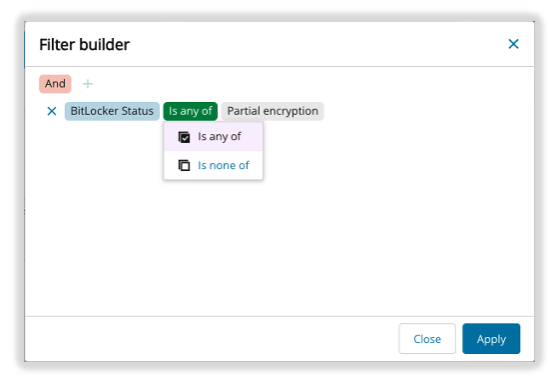
Bug fix: BitLocker column filter type in dynamic tag creation
An issue where the BitLocker column presented invalid filter type options during dynamic tag creation has been resolved. Previously, this prevented users from setting up filters correctly for this data point. The available filter types now match those used in the asset grid.
Usability and Design Improvements
A number of other improvements have also been included.
- Updated Assets metrics backend brings higher granularity, improved performance and increased consistency of asset level metrics such as CPU and Memory usage
- Quick Copy button for key datapoints in Asset Details making it easier and more consistent to extract data directly from the UI

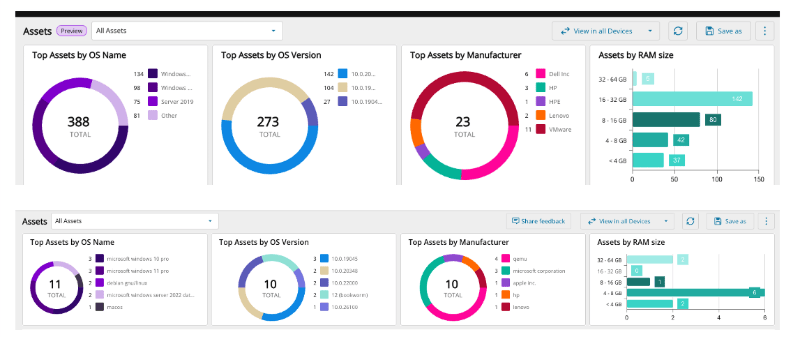
- Data columns and Assets View widgets resized to allow for higher information density
You must be logged in to post a comment.