
We are pleased to announce a major expansion of our vulnerability and patch management capabilities across both N-central and N-sight is currently in the process of being rolled out. The rollout will be completed over the next few days.
Vulnerability management now delivers a closed-loop workflow, enabling technicians to identify, prioritize, remediate, and verify vulnerabilities in one place. The release also expands third-party application patching to support hundreds of additional applications and introduces N-zo Patch Expert, joining the Vulnerability Expert to provide AI-guided recommendations for both vulnerability and patch management decisions.
Together, these enhancements help IT teams find and fix risks faster, reducing manual effort and shrinking exposure windows from days to minutes.
What’s New
Third-Party Application Patching — Windows, macOS, and Linux
N-central and N-sight now include a new, unified third-party application patching engine covering Windows, macOS, and Linux devices. The new patch engine operates alongside our existing Patch Management capabilities, providing an additional option for managing third-party application updates while preserving current patching workflows. Available through both the Patch Management and Vulnerability Management views, it gives technicians greater flexibility in how they identify, prioritize, and remediate third-party software vulnerabilities and updates.

Key capabilities:
- Detection and deployment of third-party application updates across all three major operating systems
- A single patching engine and workflow experience regardless of platform
- Over 550 managed third-party applications supported at launch, with this catalogue expected to grow considerably in the coming weeks and months: https://documentation.n-able.com/PME/supported-third-party-patch.htm
- Available directly from the Patch Management view for scheduled and on-demand deployments
- Available from the Vulnerability Management view as a remediation action, enabling technicians to patch a vulnerable application without leaving the vulnerability workflow
The breadth of coverage matters. With over 550 applications managed from day one, spanning productivity tools, browsers, runtimes, development tools, and more, IT Teams can close the majority of third-party exposure across their estate without stitching together separate tooling for each operating system.
Vulnerability Remediation — Closing the Loop
Historically, vulnerability detection and patch deployment have lived in separate tools, with manual handoffs and context-switching in between. This release closes that gap: third-party patching is now the first remediation action built natively into Vulnerability Management, completing the remediate step in the closed-loop workflow, identify, prioritize, remediate, and verify. Technicians can now move from a vulnerability finding directly to a patch deployment without leaving the workflow.

Additional remediation actions are already in development for future releases, including:
- Uninstall application: remove a vulnerable or end-of-life application directly from the vulnerability view
- Accept risk: formally document a known risk when remediation isn’t immediately appropriate, supporting audit and compliance needs
N-zo Experts: Vulnerability and Patch Intelligence, Together
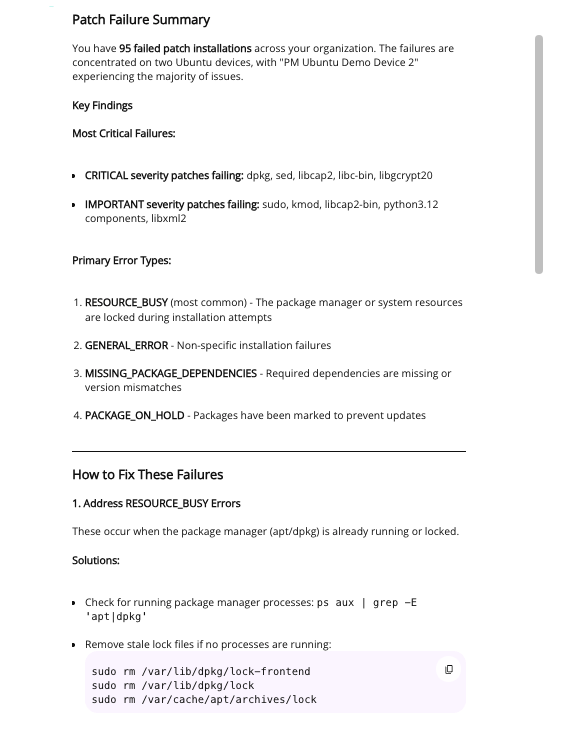
This release adds the N-zo Patch Expert, joining the Vulnerability Expert to bring both vulnerability and patch expertise together inside the product. Together, they give technicians contextual guidance as they work, removing the guesswork over whether a CVE warrants urgent action or which patches to prioritize this cycle. N-zo surfaces that expertise inline, helping IT teams make faster, better-informed decisions.
This is especially valuable for IT teams managing diverse estates across multiple sites, where the volume and variety of vulnerabilities and patches can make consistent, risk-based prioritization difficult to maintain at scale.
Security Insights Dashboard
Introduced as part of our new Endpoint Remediation area, the Security Insights Dashboard provides a consolidated, at-a-glance view of your security and patching posture across managed devices.
Rather than switching between separate patch and vulnerability views to understand exposure, technicians now have a single dashboard that surfaces the information that matters most — and gives them direct paths to act on it.

Each widget is actionable. Technicians can move directly from a dashboard insight to the relevant asset or patch view to investigate and remediate without losing context.
This first version of the Security Insights Dashboard is focused primarily on metadata — giving technicians immediate visibility into severity distribution, CVE details, exploitability context, and patch deployment metrics across the estate. A small number of device-level widgets are also included, with Reboot Status providing a view of assets pending restart following patch deployment.
Future enhancements will go significantly deeper. Planned additions include richer asset health indicators, engine health visibility to surface issues with the patching and vulnerability detection pipeline itself, and support for custom and saved views — allowing technicians to tailor the dashboard to their own workflows and the specific needs of individual customers.
Patch Policies — Automated, Policy-Driven Patch Management
We are introducing Patch Policies, bringing policy-driven automation to the patching workflow and giving technicians greater control over when and how patches are deployed across managed devices.

Availability at launch:
- Linux — Patch Policies are now generally available for Linux devices, enabling automated patch scheduling, approval workflows, and deployment rules across Linux estates
- macOS — Patch Policies are available in early access preview for macOS, allowing technicians to begin building and testing policy-driven workflows for Apple devices ahead of wider availability
- Windows — Patch Policies for Windows devices are coming soon, completing cross-platform policy coverage within the unified patching experience. We have a lot of features being added in here including Patch Tuesday offset scheduling, approval delays, granular options, OS controls and more
Patch Policies allow IT Teams to move away from ad hoc, manual patch decisions and toward a consistent, repeatable approach to patch management, reducing the operational overhead of keeping estates current while maintaining the control needed to manage risk appropriately.
As availability expands across platforms, Patch Policies will become the foundation for scalable, automated patching across the entire managed estate.
Why This Matters for You
Patch management and vulnerability management have traditionally been treated as separate practices. In reality, they are two sides of the same problem: understanding what is exposed across your managed estate and ensuring those exposures are addressed before they are exploited.
This release accelerates that workflow at every stage:
- Broader coverage — third-party application patching across Windows, macOS, and Linux means fewer gaps in coverage and fewer tools required to close them
- Faster remediation — acting on a vulnerability from within the vulnerability view removes friction and reduces time-to-remediation
- Faster identification — the Security Insights Dashboard surfaces the highest-priority risks across all managed devices without manual correlation
- AI-assisted decision-making — N-zo expertise means technicians don’t have to carry the full cognitive load of risk prioritisation alone
- Greater automation — Patch Policies enable consistent, scalable patch management without relying on manual intervention for every deployment cycle
Coming Soon
A large number of capabilities are in active development and will be introduced as the vulnerability and patch management experience continues to evolve, some key features are below along with a larger list within the following link: https://documentation.n-able.com/PME/public-preview/endpoint-remediation-preview.html
- Uninstall application — remove vulnerable or end-of-life software as a remediation action directly from the vulnerability view
- Accept risk — formally document accepted risks for audit and compliance purposes
- Patch Policies for Windows — completing cross-platform policy coverage alongside the existing Linux GA and macOS early preview
- Windows OS patching in the unified experience — bringing Windows operating system updates into the same modern, cross-platform patching workflow
How to Get Started
Before diving in, there are a few prerequisites to be aware of if you are on N-central.
For the full experience — including the Security Insights Dashboard and the updated left-hand navigation under Endpoint Remediation — you will need to be running N-central v26.2 or later. Customers on earlier versions may still have access to Windows third-party application patching and the vulnerability remediation journey, but will not see the updated navigation or the Security Insights Dashboard and will show within the Linux and Apple patches link.
In addition, all N-central customers must meet the Ecoverse prerequisites to access these features. For a full walkthrough of Ecoverse setup, see: Unlocking the Ecoverse: Your Guide to Accessing N-central’s New Ecoverse Features
If you are on N-sight you should be good to go, you should see the new features available from the left hand navigation menus as long as your user permissions are set to allow access to those views.
You must be logged in to post a comment.