
This month, in addition to the usual bundle of bug fixes and minor improvements, we’ve enhanced the Customer Management menu with more settings for the Incoming Filter service as well as with the Outgoing Filter settings at the partner/customer level. Additionally, we’ve improved the domains management and the experience of managing technicians.
New Settings Pages – Customer Management
Over the next two weeks, we will be enabling a new group of settings for the Incoming Filter service and also the Outgoing Filter options at the partner/customer level aimed at improving the management of settings in Mail Assure, as shown below
Customer Management – Incoming settings
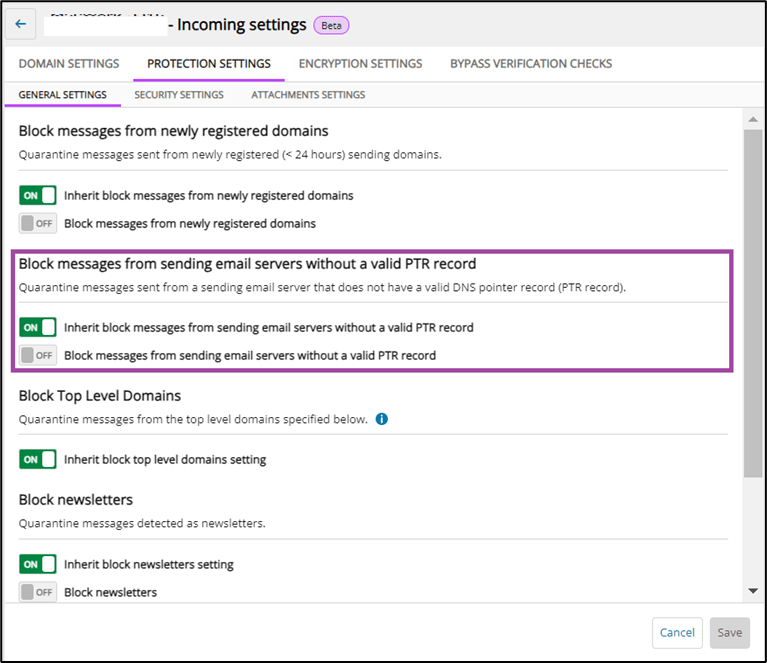
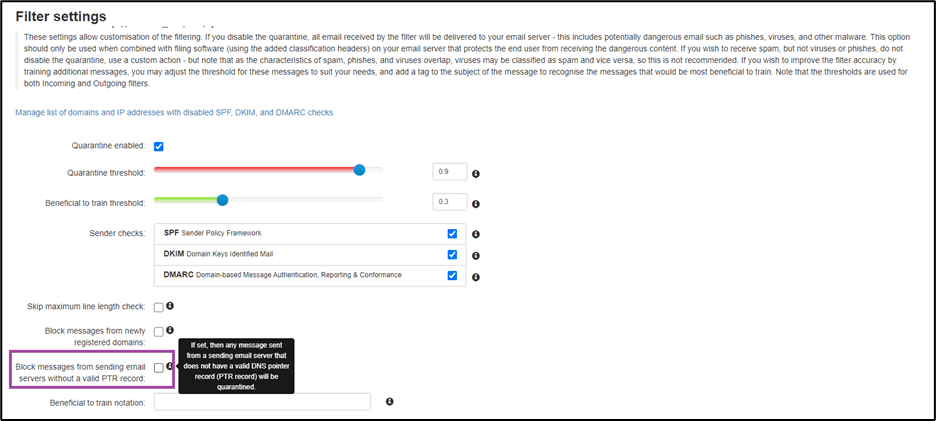
- Block messages from sending email servers without a valid PTR record new setting has been added on the Protection Settings page, under the General Settings tab-page, offering the possibility to block messages from sending email servers that do not have a valid DNS pointer record.
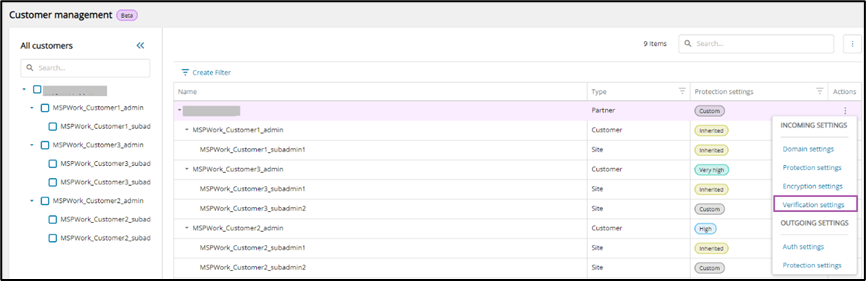
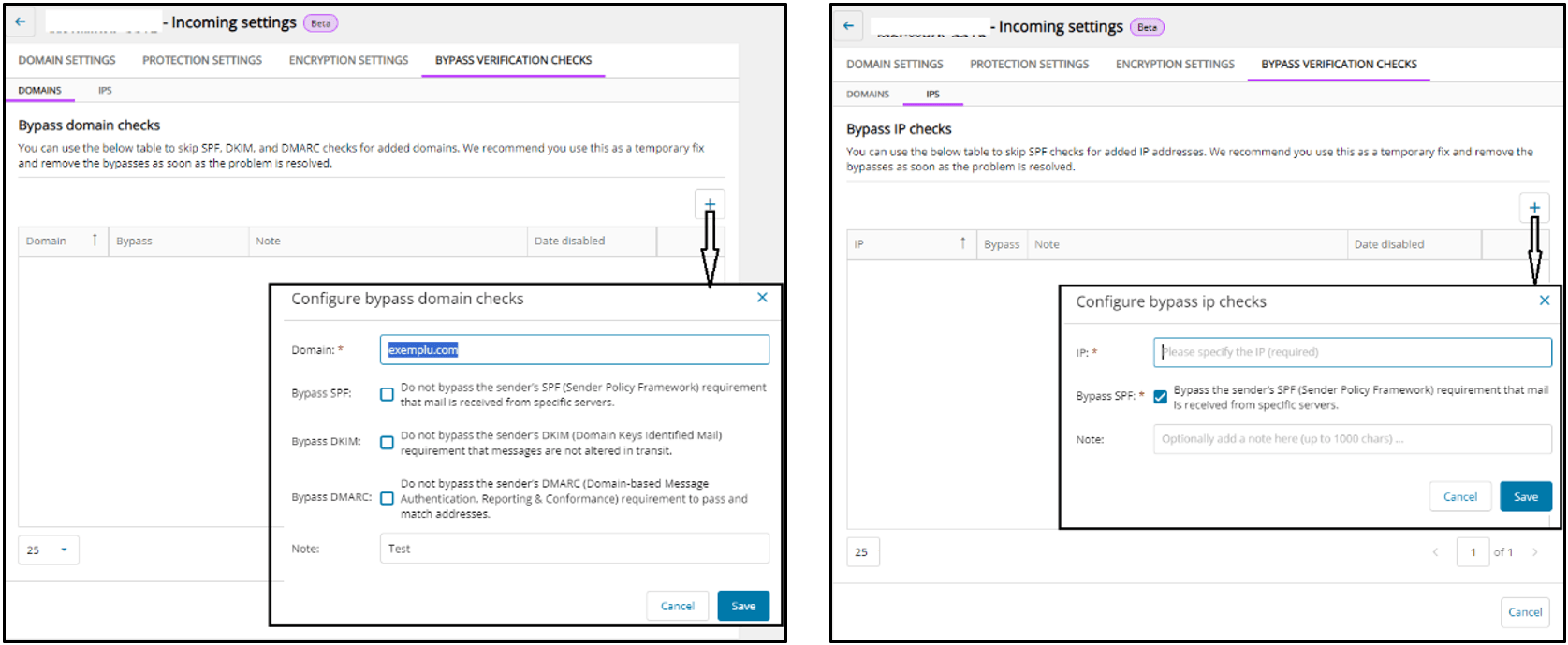
- Bypass Verification Checks new page has been added at the Incoming Settings level, offering the possibility to skip SPF, DKIM, and DMARC checks for added domains as well as to skip SPF check for added IP addresses.
Similar with the existing options at domain level, we recommend skipping these verifications as a temporary fix only and remove the bypasses as soon as the problem is resolved.
- Light terminology changes have been applied to enhance settings relevance:
- All the options that lead a message to the quarantine have been renamed as block options.
- The Block response option from Protection Settings, General tab-page has been renamed as SMTP response for blocked messages.
Customer Management – Outgoing settings
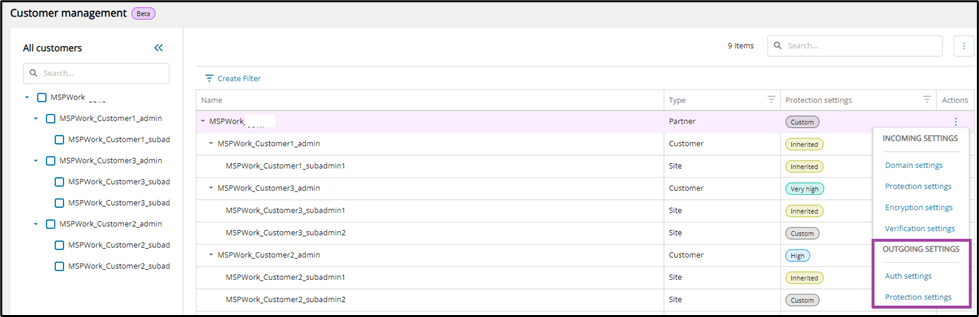
- Authentication Settings new page has been added for the Outgoing options:
- Identification method to assist with managing the outgoing filter, either with the recommended value Envelop sender or with the Authentication user value.
- Lock identities options with possibilities to auto lock identities and to define the maximum automatic unlocks and the lock timeout.
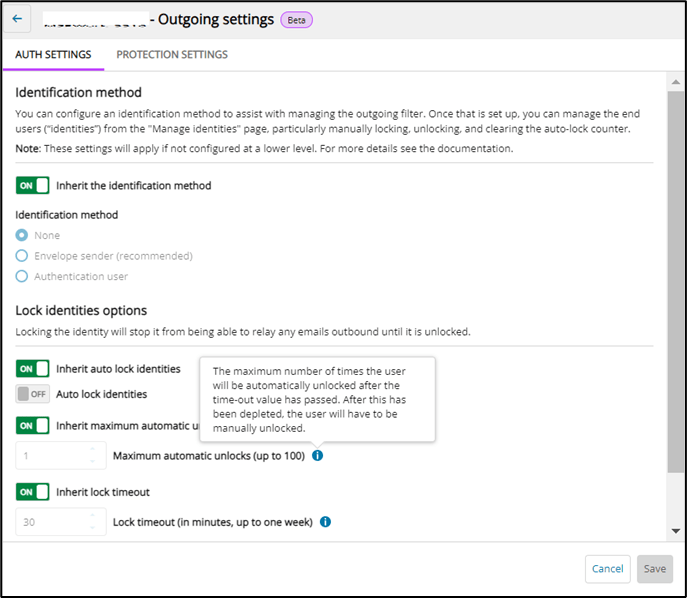
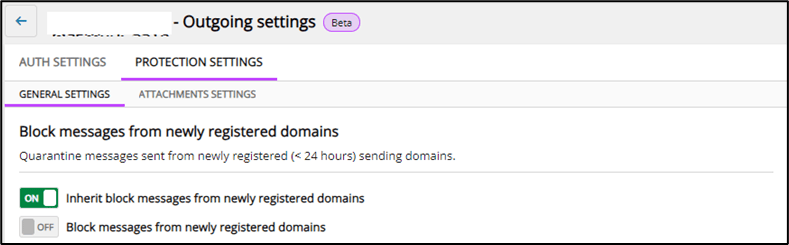
- Protection Settings new page has been added, offering another group of Outgoing settings at partner/customer level:
- General Settings tab-page contains Block messages from newly registered domains option.
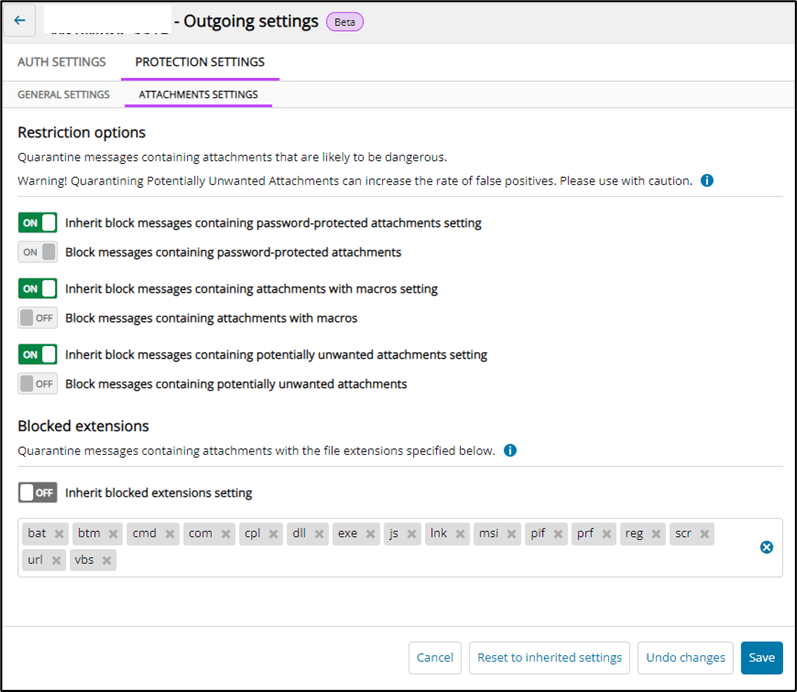
- Attachment Settings tab-page contains Restriction options and Blocked extensions.
More details about all the options exposed at partner/customer level, Incoming and Outgoing, can be found in the product documentation.
Manage Technicians
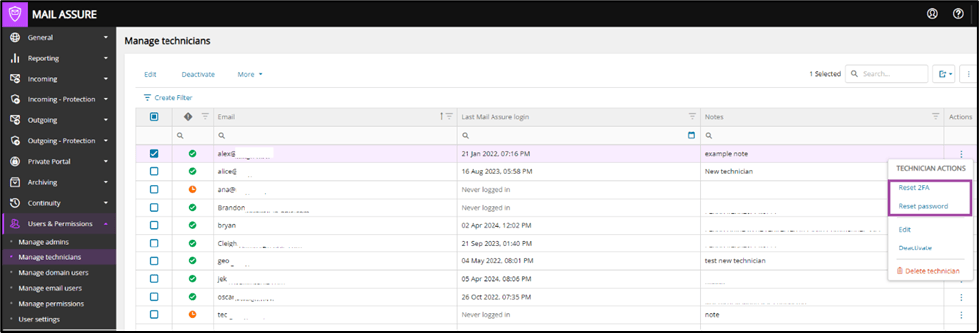
The experience of managing technicians has been enhanced with the possibility to reset the password and 2FA, aimed at saving the time that is normally required with a support ticket. Both options guide the user on the necessary steps for the reset.
Manage domains
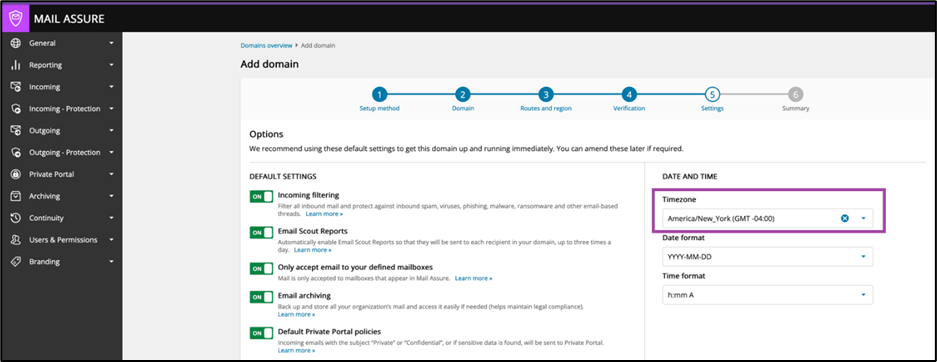
- The experience managing domains has been enhanced, having the user browser time zone as the default time zone value, in both Add Domain and Microsoft 365 Synchronization wizards.
- The Filter Settings page has been enhanced with the option to block messages from sending email servers that do not have a valid DNS pointer record, at domain level.
Changelog
Since the latest major release, we’ve fixed the following issues:
- MMA-9001: Fixed an issue with wrongly detected mailbox alias.
- MMA-8974: Fixed the Domains statistics pages not loading images reliably.
- MMA-8878: Fixed the Identity locking after sending viruses.
- MMA-8859: Fixed the Certifications page in case quarantined certificate.
- MMA-8795: Fixed a Private Portal issue when sending messages to .group domain.
- MMA-8685, MMA-8763, MMA-8791: Fixed the issues when adding the mailboxes aliases.
We’ve also made the following improvements:
- MMA-7979: Reduce memory usage for legacy api.
- MMA-8740: Improve dmarc domain detection when resent-from header is used.
- MMA-8677: Present client certificates when a destination server requires them.
You must be logged in to post a comment.