
We previously retired the legacy N-central Mobile app following the identification of security vulnerabilities. Rather than reinstating the existing application, we made the decision to build a new N-central Mobile app from the ground up on a modern, more secure foundation, available for both iOS and Android.
Important: The new N-central Mobile app requires N-central 2026.4 or later. The app cannot be used to connect to N-central servers running earlier versions.
After upgrading to N-central 2026.4, users can take advantage of the new N-central Mobile app on iOS and Android, including N-able Login (SSO) and Take Control functionality.
Here are the links to the applications:
Android: N-central Mobile – Apps on Google Play
iOS: https://apps.apple.com/gb/app/n-central-mobile/id421890006
For this first release, we have intentionally focused the experience on Take Control, one of the most frequently used capabilities in the previous mobile app. This enables technicians to quickly access and remotely support managed devices while on the go, while giving us a strong foundation on which to expand the mobile experience.
With the new N-central Mobile app, you can:
- Select a customer or site and quickly navigate to its devices.
- Search and filter the device list to find the device you need.
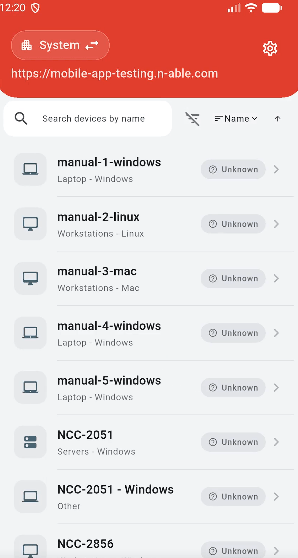
- View key device details at a glance.
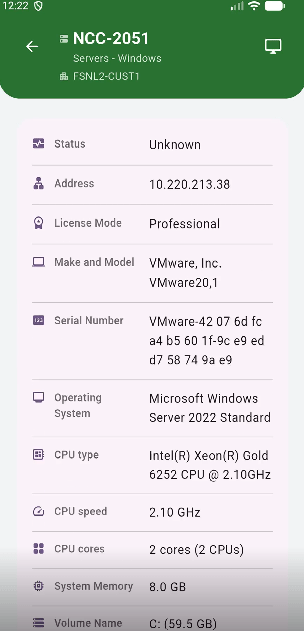
- Launch Take Control remote sessions directly from your mobile device.
- Use the app on both iOS and Android devices.
- Benefit from a modernized foundation designed for improved security, performance, and stability.
What’s Next
This release is the starting point for the new N-central Mobile experience. We are beginning with Take Control and the supporting workflows needed to find and connect to devices quickly.
Over time, we plan to incrementally introduce additional mobile capabilities, informed by partner needs and usage, while continuing to build on the app’s modern foundation.
Sign in with your existing N-central account to get started:
- Users can authenticate using N-able Login, including MFA and N-able Login. The Mobile App also supports N-able Login with Entra ID. Note: The app differentiates between local login and SSO login for a streamlined login process.
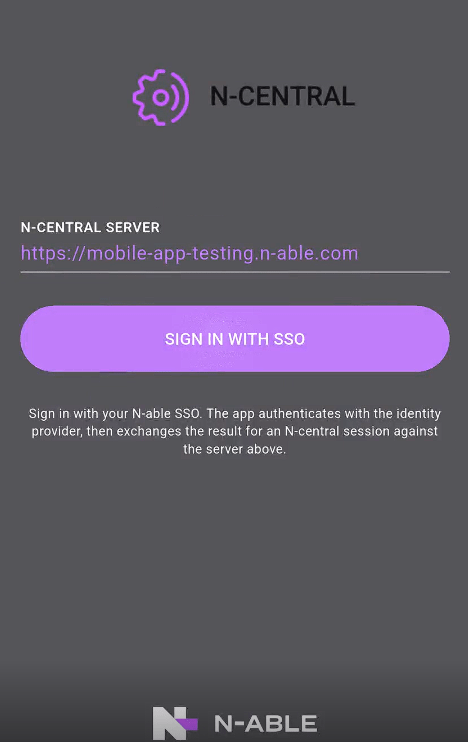
How Login Works:
If Local Login:
- The app prompts for a password and MFA, then grants access to the product.
If SSO Login:
- Base N-able Login: The user is forwarded to the N-able Login flow, where they enter their username, password, and MFA (if applicable).
- N-able Login with a Third-Party IDP: The user is redirected to the third-party provider, follows the external authentication process, and is granted access.
You must be logged in to post a comment.