
We’ve added a new column containing OS Build information to the library of data points available within Asset Views.
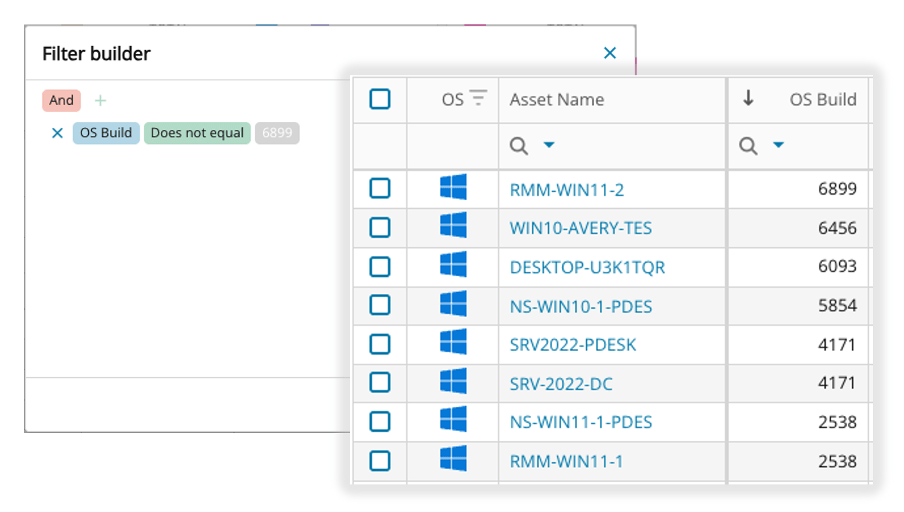
Direct visibility to this key info enables faster troubleshooting, improved compliance, and proactive endpoint management, which ultimately reduces downtime and drives operational efficiency.
- Troubleshooting – Quickly and easily spot issues tied known OS bugs
- Compliance – Ensure endpoints are running approved, fully patched and supported builds
- Proactive management – Easily spot trends before they become more widespread
- Operational efficiency – Simplify technician workflows and reduce time spent manually checking endpoints or relying on external tooling
- Customer trust – Provide customer with confidence that you can easily verify endpoint OS health status
As an example, this additional column, along with the rich filtering available through Asset Views helps identify any endpoints that are not on a specific build version so that remediation can be performed.
As we expand on our core dataset we welcome and encourage feedback and additional comments via our in product feedback form located at the top right of the Asset View screen.
You must be logged in to post a comment.